
Your art print listing gets rejected. No sale, no explanation beyond a vague format error, and no clear path to fixing it. For Australian sellers operating across Etsy, Shopify, and local marketplaces simultaneously, this scenario plays out more often than it should, and the cause is almost always a preventable technical oversight.
Every platform enforces its own image dimension rules, file format restrictions, and aspect ratio tolerances. Shopify and Etsy disagree on optimal sizing; Australian platforms like Catch and Hardtofind add their own constraints on top. Understanding the best size for Shopify product images, for instance, solves only one piece of a larger compliance puzzle. Art prints compound the problem further, because colour accuracy, DPI, and export settings all affect whether your product images faithfully represent the physical work.
This tutorial maps the current requirements for every major platform Australian art sellers use, covers the colour management decisions that affect print accuracy, and shows you how to export a compliant image set from a single master asset. By the end, you will have a repeatable workflow that eliminates rejection before it happens.
Why Every Platform Has Different Image Requirements
Ecommerce platforms engineer their image pipelines for their own infrastructure, not for yours. Shopify optimises for its CDN and theme rendering engine; Etsy optimises for its category grid and mobile app display. Neither consults the other, and neither publishes a consolidated guide explaining why their requirements differ from every other channel you sell on.
For art print sellers, this creates a compounding problem. A listing image must do two things simultaneously: function as a compelling product photo that converts browsers into buyers, and represent the artwork's colour, detail and scale with enough fidelity that the buyer trusts what they are purchasing. Most product categories only need the first. Art prints need both, and the technical constraints of each platform work against the second.
Aspect ratio is where this tension becomes visible. When a platform's category grid enforces a square crop, a portrait-format art print poster loses its top and bottom. When a search result layout letterboxes a landscape image into a fixed container, the print appears smaller relative to competing products. These are not cosmetic problems; they directly affect whether a buyer clicks through at all.
Format rejection compounds the frustration because platforms rarely explain what went wrong at the point of failure. Etsy's image requirements document supported file types, but an upload rejection often surfaces as a generic error, leaving sellers to diagnose whether the issue is file type, dimensions, file size, or something else entirely.
Australian sellers face the most fragmented version of this problem. Combining global platforms with regional marketplaces and local fulfilment channels means navigating a specification landscape that has no single published reference. Requirements change without notice, documentation is inconsistently maintained, and the cost of getting it wrong is a rejected listing or, worse, a live listing displaying a broken image.
Selling artwork online takes more than uploading an image; the technical layer underneath the listing is where many otherwise well-prepared sellers lose ground.
Key Technical Terms Before You Read the Spec Tables
Before reading the platform-specific tables, align on five terms that appear throughout this guide. Misreading any one of them is enough to produce a non-compliant upload.
Pixel dimensions vs. DPI Pixel dimensions (for example, 2000 x 2000 px) define how many pixels make up an image and govern how it displays on screen. DPI describes output density when physically printing and is irrelevant to how a listing renders on a monitor. A 72 DPI file and a 300 DPI file with identical pixel dimensions look the same on screen. Where DPI becomes critical is in print production files. Conflating the two leads sellers to upload correct listing images but submit undersized files to their print lab.
Aspect ratio Aspect ratio is the proportional relationship between width and height, expressed as width:height (1:1 square, 4:3 landscape, 2:3 portrait). Platforms enforce minimum ratios and some enforce maximum ratios. A narrow panoramic print may be automatically centre-cropped to fit a platform's category grid, removing significant portions of the composition without warning.
Colour profile An ICC profile tells a display or printer how to interpret colour values. The three profiles relevant to art print sellers are sRGB (the web standard), Adobe RGB (wider gamut, suited to print production), and CMYK (used in offset printing). Most platforms strip or silently convert embedded profiles to sRGB on upload; a file saved in Adobe RGB without conversion will appear desaturated on buyer screens.
File format JPEG uses lossy compression and can embed colour profiles; it is the standard for listing images. PNG uses lossless compression and supports transparency, with platform-specific caveats covered in the next section. SVG is vector-based and resolution-independent, appropriate for graphic or typographic prints. HEIC is Apple's high-efficiency format, accepted by a small number of platforms.
File size vs. file dimensions A 4000 x 4000 px image saved at low JPEG quality can produce a file under 1 MB. High compression introduces visible artefacts in areas of fine detail, subtle gradation, or flat colour blocks common in print artwork. Platform upload limits are measured in file size (megabytes), not pixel dimensions, so understanding this trade-off determines whether you reduce dimensions or adjust compression quality to meet a limit.
Etsy Image Requirements for Art Print Listings
Etsy accepts five file types for listing images: .jpg, .gif, .png, .svg and .heic. Two of those require immediate caution for art print sellers.
Animated .gif files are not supported. Etsy will either reject the upload or render the file as a static frame, so any motion-based content is lost without warning.
Transparent .png files present a more damaging problem. Etsy does not support transparency in listing images; any transparent area renders as a solid black background. For art prints commonly presented against white borders or gallery-style mats, this produces a broken, unprofessional appearance directly in search results. Always flatten a PNG to a white background before uploading to Etsy.
Minimum dimensions and safe defaults
Etsy publishes a minimum dimension requirement for listing images; consult the current Etsy Help Centre article for the exact pixel figure, as this changes. For sellers who want a single safe default that renders consistently across desktop and mobile grid views, a square image large enough to meet Etsy's stated minimum is the lowest-risk starting point.
The reason a square matters: Etsy's category and search grid may crop images; check current grid behaviour in the Etsy Help Centre. A portrait or landscape art print may be centre-cropped automatically, which can remove the compositional focus of the work. Check your Etsy seller dashboard for available thumbnail adjustment options, so portrait and landscape images are workable, but any adjustment must be made deliberately for each listing.
Recommended dimensions for art print posters
For primary listing images, use a wide landscape image that meets Etsy's published minimum on the short side. This provides sufficient resolution for Etsy's zoom and gives the image a natural landscape proportion suited to room scene photography. A room scene or scale reference as the primary image helps buyers contextualise the print's size, which is a known factor in purchase confidence.
Use the remaining listing slots for flat lay detail shots and size comparison graphics. These secondary images do not appear in grid crops and can carry portrait or landscape proportions without any cropping risk.
Shopify Product Image Requirements for Art Print Stores
Shopify gives art print sellers more format flexibility than Etsy, but a few technical constraints still catch sellers out.
Recommended dimensions: Shopify recommends 2048 x 2048 px for square product images. Shopify's zoom feature requires sufficient resolution; 2048 x 2048 px is Shopify's own recommendation for images that display best. For art prints, where buyers zoom to inspect brushwork, texture and print quality before committing, 2048 x 2048 px is the practical minimum, not an optional upgrade. Shopify accepts images up to 5000 x 5000 px, so there is headroom above 2048 px if your scans support it.
Supported formats: Shopify accepts JPEG, PNG, GIF, WebP and HEIC. Shopify supports PNG, and its transparency handling differs from Etsy's; test a PNG upload on your live store before bulk uploading. This makes Shopify a preferable channel for displaying print artwork with white mat borders, transparent overlays or framed product visuals that rely on a clean background.
File size limit: The 20 MB per-image ceiling applies on standard Shopify plans. High-resolution giclée scans and multi-layer composites frequently exceed this. If your file is too large, reduce pixel dimensions to 2048 px on the longest side first; if it still exceeds 20 MB, apply JPEG compression at quality 80 to 85, which is sufficient to preserve fine detail in most print artwork.
Theme and aspect ratio: Shopify documentation notes that image display depends on your active theme; test your theme's crop behaviour before bulk uploading. A catalogue with inconsistent aspect ratios will break grid alignment visually, with some thumbnails letterboxed and others cropped. Before uploading a full catalogue, confirm your active theme's crop behaviour by testing a single listing. For art print services and fine art edition stores, standardising on a consistent aspect ratio across all products produces a coherent gallery-style grid.
Australian Marketplace Image Requirements: Catch, Hardtofind and Niche Platforms

Beyond Shopify and Etsy, Australian sellers frequently list across local marketplaces with requirements that conflict sharply with each other.
Catch.com.au requires product images on a pure white background with significant product fill; verify exact dimensions and fill percentages in Catch's current seller documentation before uploading. For art print sellers, this means producing a dedicated white-background flat lay; room scenes and lifestyle images do not meet the standard and will be rejected or suppressed in search.
Hardtofind, a curated marketplace popular with independent art print and gift sellers, takes the opposite position. It recommends square lifestyle images; confirm minimum pixel dimensions in its current seller onboarding documentation. An image set prepared for Catch will not serve Hardtofind well, and vice versa; each channel requires a separate asset.
Zibbet and similar Australian craft marketplaces broadly follow Etsy-style guidance: JPEG or PNG, square-friendly framing, and a generous minimum pixel dimension. Enforcement is less rigorous than Etsy, however. Non-compliance typically surfaces only after a listing goes live and renders incorrectly in the gallery grid, which means sellers need to manually check each new listing rather than relying on an upload rejection to flag the problem.
Print-on-demand fulfilment requirements are separate from listing image requirements entirely. Print-on-demand services have their own production file specifications; always obtain the current DPI, bleed and format requirements directly from your chosen Australian print lab before supplying files. A listing image exported for Catch or Hardtofind is not suitable as a production file; maintain these as distinct deliverables.
The broader problem is documentation fragility. Australian marketplace image specifications are inconsistently published, frequently outdated, and subject to change without notice. Treat any stated specification as a floor, not a ceiling, and always test a sample listing before committing a full catalogue upload to any new channel.
Colour Management for Art Prints: sRGB, Adobe RGB and What Platforms Actually Do
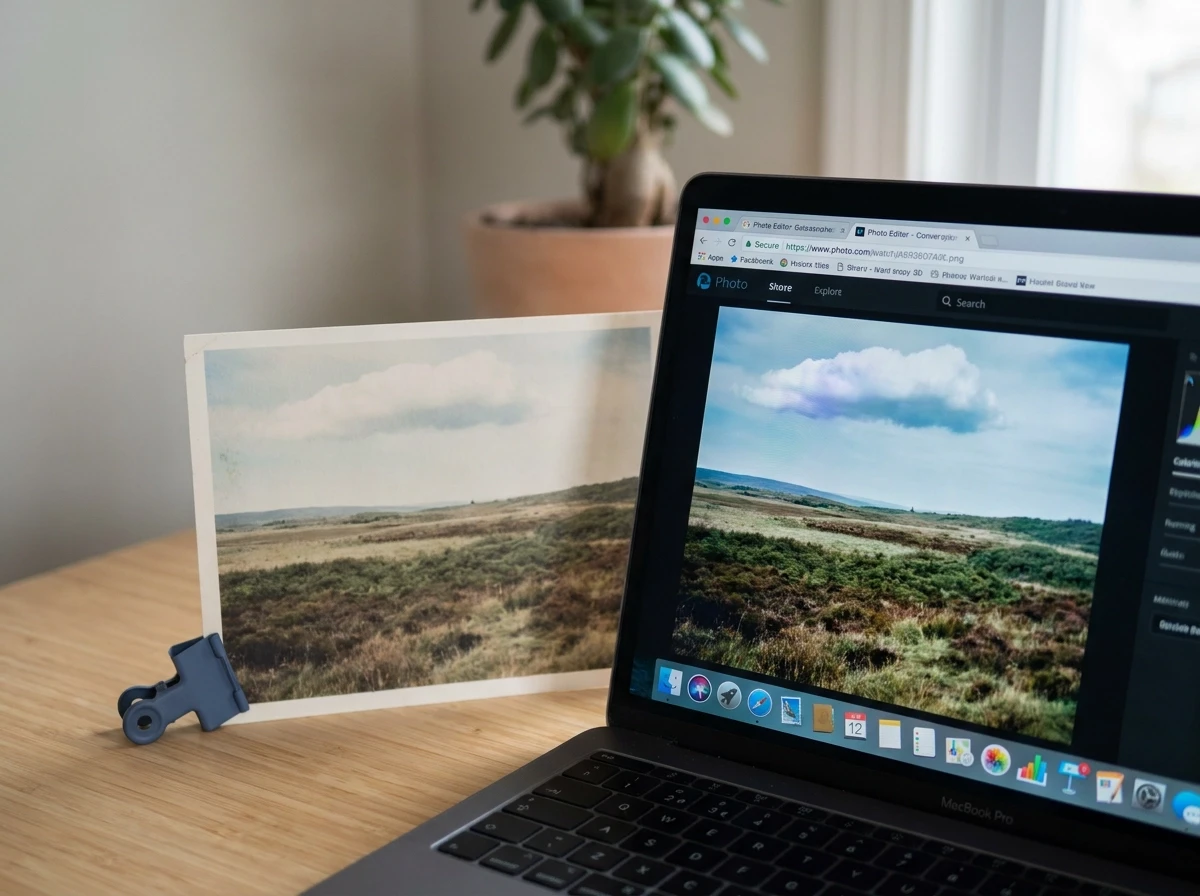
Platform dimension and background requirements vary by channel, as covered above. Colour space is a separate layer of compliance that catches many art sellers off guard, because failures are silent: the image uploads successfully but displays incorrectly.
Most ecommerce platforms are built around sRGB as the default; uploading files in other colour spaces may produce unexpected colour rendering, so converting to sRGB before upload is the recommended practice. The result of skipping this step is a desaturated, flat-looking image on the listing page, with the original artwork appearing more vivid than the print the buyer will receive.
Why Adobe RGB Still Belongs in Your Workflow
Adobe RGB is the preferred colour space for print production files. It is the correct colour space for files sent to a print lab, and you should preserve it there. The rule is simple: Adobe RGB for print production files, sRGB for every ecommerce listing image. These are separate deliverables.
The correct workflow is to maintain a master file in the widest available colour space (Adobe RGB, or the original scan profile), then export a dedicated sRGB JPEG for each channel. Never overwrite the master with a converted copy; once you convert down and save, that gamut information is gone permanently.
Compression Adds a Second Colour Risk
Many ecommerce platforms process images on upload. This pipeline can introduce visible colour shifts in images with saturated tones or smooth gradients, exactly the tonal qualities common in art print posters. Exporting at a high JPEG quality setting before upload is a recommended precaution, reducing banding and hue drift in the final displayed image.
Managing Buyer Expectations for Colour-Critical Prints
For art print posters with specific Pantone or brand colours, no consumer display will render colour with print accuracy. Include a photograph of the physical print alongside a printed colour reference or swatch in at least one listing image. This sets accurate expectations and directly reduces returns.
Print Artwork File Requirements: DPI, Bleed and Safe Zones
Colour profile decisions govern what your file looks like; resolution and document structure govern whether it can actually be printed. These are separate problems requiring separate file versions.
300 DPI at the final intended print size is a widely cited benchmark; confirm requirements with your specific print lab. Most smartphone cameras produce files adequate for prints up to roughly A4 at 300 DPI; beyond that, upsampling introduces visible softness. Many entry-level flatbed scanners have the same ceiling. Know your source resolution before committing to a print size range.
Bleed and safe zones are non-negotiable for production files. Most print labs require a bleed margin and a safe zone for critical content; confirm exact dimensions with your chosen lab. Artwork elements and background fills must extend into the bleed zone so the guillotine cut never reveals a white gap. Conversely, any text or compositionally critical detail must sit inside the safe zone to survive minor misregistration during cutting.
Production files and listing images are not interchangeable. A 300 DPI TIFF sized for a print lab is the wrong format for Etsy or Shopify uploads: TIFF is unsupported on most platforms, the file size exceeds upload limits, and the colour profile handling differs from what the print lab expects. Treat them as distinct deliverables produced from the same master, never the same file repurposed.
Multi-size print catalogues require a separate 300 DPI file per size. A4, A3, A2 and 50 x 70 cm each have different pixel dimensions at 300 DPI. If your master file has sufficient pixel dimensions to cover the largest size, you can downsample for smaller sizes; you cannot upsample without quality loss.
When digitising original physical works, scanning at a resolution that exceeds your largest intended print size requirement gives you headroom. A high-resolution capture of a 50 x 70 cm original covers that size and any smaller derivative, deferring the need to rescan when you later add print sizes.
Platform Image Requirements at a Glance: Comparison Table
Platform | Minimum dimensions | Recommended dimensions | Supported formats | Aspect ratio notes | Colour profile |
|---|---|---|---|---|---|
Etsy | See Etsy Help Centre for current minimum | , | .jpg, .png, .svg, .heic (no transparent PNG; no animated GIF) | Etsy's category and search grid may crop images; check current grid behaviour in the Etsy Help Centre | sRGB assumed; embedded profiles may be stripped |
Shopify | , (2048 x 2048 px is Shopify's documented recommendation) | 2048 x 2048 px | JPEG, PNG, GIF, WebP, HEIC (test PNG transparency on your live store before bulk upload) | Theme-dependent; confirm crop behaviour in your active theme before bulk upload; 20 MB file limit | sRGB assumed |
Catch.com.au | Verify in current Catch seller documentation | Verify in current Catch seller documentation | JPEG preferred | Verify in current Catch seller documentation | sRGB assumed |
Hardtofind | Verify in current Hardtofind seller documentation | Verify in current Hardtofind seller documentation | JPEG or PNG | Square; lifestyle context preferred over white backgrounds | sRGB assumed |
Australian print labs (production files) | Confirm with your chosen lab (typically 300 DPI at final size; bleed and safe zone dimensions vary) | Confirm with your chosen lab | TIFF or high-quality JPEG | Confirm bleed and safe zone requirements with your chosen lab | sRGB or Adobe RGB accepted; confirm with your specific lab before submitting |
A few practical notes on reading this table. The Shopify recommendation of 2048 x 2048 px is the platform's own published guidance; zoom functionality degrades noticeably below this, which matters when buyers are inspecting fine detail in art prints. Catch's white-background and fill rules mean lifestyle or room scene images cannot be reused directly; a dedicated flat lay is required. The print production row is intentionally distinct from the listing rows because production files are never uploaded to a storefront. Always verify specifications directly with your chosen Australian lab, as bleed tolerances and accepted colour profiles vary between suppliers.
How to Export a Compliant Image Set from One Master Asset
With the specification table above as your reference, the following five-step workflow converts those specs into a repeatable export process.
Step 1: Establish a master file. Save the highest-resolution version of your artwork as a TIFF or PSD in its original colour space (Adobe RGB or wider). This lossless file is the single source of truth. Never export back into it or overwrite it with a compressed or converted copy.
Step 2: Create named channel export presets. In Photoshop, Lightroom, or an equivalent tool, configure a saved preset for each platform:
Etsy: platform-recommended dimensions (see Etsy Help Centre), sRGB, JPEG at high quality
Shopify: 2048 x 2048 px, sRGB, JPEG at high quality
Catch: dimensions per current Catch seller documentation, white background flattened, JPEG
Print lab: 300 DPI at final print size, TIFF, bleed included
Preset-based exporting eliminates manual re-entry of settings and ensures the sRGB conversion happens at export, not by overwriting the master.
Step 3: Apply a consistent file naming convention. Use the structure [ArtworkID]_[Platform]_[Dimension].[ext], for example ART001_ETSY_PRIMARY.jpg. When a platform updates its requirements, this structure makes it immediately clear which files need to be regenerated and which are current.
Step 4: Validate before bulk upload. Upload one test listing to each platform and review the rendered image at both desktop and mobile breakpoints. Confirm there is no unexpected centre-crop removing critical composition, no colour shift in saturated areas, and no visible compression artefacts in fine-detail passages. Fix the preset, not individual files, if a problem appears.
Step 5: Centralise asset management. Manual re-export scales poorly once a catalogue grows beyond a handful of artworks. ArtSyncy's platform terms outline how the workflow operates, and the platform itself is built for this exact process: a single artwork upload generates platform-ready image variations, framed product visuals, room scenes and marketing assets simultaneously, removing the per-channel export step whenever a new platform is added or requirements change.
The Most Common Image Rejection Mistakes Australian Art Sellers Make
Even with a correct export workflow in place, a handful of recurring errors account for the majority of listing rejections and display problems Australian art sellers encounter in practice.
Transparent PNG uploaded to Etsy. As covered in the Etsy section above, transparent PNGs render as black on Etsy, flatten to white before upload.
300 DPI TIFF used as a listing image. As covered in the print file requirements section above, production TIFFs exceed platform upload limits and are not optimised for web rendering, export a separate JPEG from your master for each listing channel.
Aspect ratio ignored across platforms. A portrait image prepared for one platform's grid may be cropped differently in another platform's category view. If the composition is tight, that crop can remove the subject entirely. Build platform-specific variants with the crop behaviour of each destination grid in mind.
Adobe RGB saved without converting to sRGB. As covered in the colour management section above, always convert to sRGB at export and keep the Adobe RGB master file untouched.
Same file uploaded to every platform without checking size limits. File size limits vary by platform, and print-on-demand integrations often enforce their own separate limits that differ from the storefront's published specifications. A file that uploads without issue on one channel may be silently rejected or auto-compressed on another. Check current limits per platform before each bulk upload, not once at initial setup.
Building a Sustainable Multi-Platform Image Workflow
Avoiding the mistakes covered above is easier when your entire catalogue is built on one structural rule: work always from your high-resolution master file, as described in the export workflow section above.
Alongside the master-file principle, maintain a living reference document, a shared spreadsheet works well, that records the current specifications for each platform you sell on. Platform requirements change without announcement, and Australian regional marketplaces in particular carry limited public documentation. A dated spreadsheet with a column for "last verified" keeps you ahead of silent spec updates rather than discovering them through a rejected listing.
Colour accuracy belongs at the export stage, not after upload. Convert to sRGB and export at a high JPEG quality setting before the file leaves your machine, as detailed in the colour management section above. Fine gradients and saturated tones in art print posters are the first casualties of under-prepared exports.
For sellers managing more than five artworks across two or more channels, manual re-export becomes the primary bottleneck as the catalogue grows. The export presets described earlier in this guide address the problem at small scale; at medium-to-large catalogue scale, the manual process itself is the constraint. Platforms like ArtSyncy are built specifically for this point: a single artwork upload generates compliant, channel-ready image sets across platforms simultaneously, which is where meaningful time savings appear for growing art print catalogues.
Actionable next step: take your three most recent listing uploads on each platform you sell on, check each image against the specification tables in this guide, and flag any assets that were exported from a compressed source, saved in Adobe RGB, or sized incorrectly for the platform's grid. Re-export those assets from your master files before your next catalogue update.
Conclusion
Getting your image setup right is not a one-time task; it is the foundation every successful multi-platform art business is built on. The core principles from this guide come down to four things: always work from a high-resolution master file, export to sRGB at the correct dimensions for each platform, respect bleed and safe zone requirements for print files, and audit your specs regularly because platforms update silently.
Australian art sellers who invest time in a repeatable export workflow stop losing sales to rejected listings, poor grid thumbnails, and colour-shifted prints. The difference between a professional listing and an amateur one is often invisible to buyers but immediately felt in conversion rates.
Your next move is simple. Open your best-selling artwork, run it through the spec checklist in this guide, and rebuild your export workflow from the master file up. Do it once properly, and every future upload becomes faster and more confident.